
- Course
Introduction to Tracking in After Effects
In this After Effects tutorial we'll learn how to use the tracker built in to After Effects to analyze real life footage and find the movement of objects. Software required: After Effects CS4 for project files.
Beginner
- Course
Introduction to Tracking in After Effects
In this After Effects tutorial we'll learn how to use the tracker built in to After Effects to analyze real life footage and find the movement of objects. Software required: After Effects CS4 for project files.
Beginner
Get started today
Access this course and other top-rated tech content with one of our business plans.
Try this course for free
Access this course and other top-rated tech content with one of our individual plans.
This course is included in the libraries shown below:
- Core Tech
What you'll learn
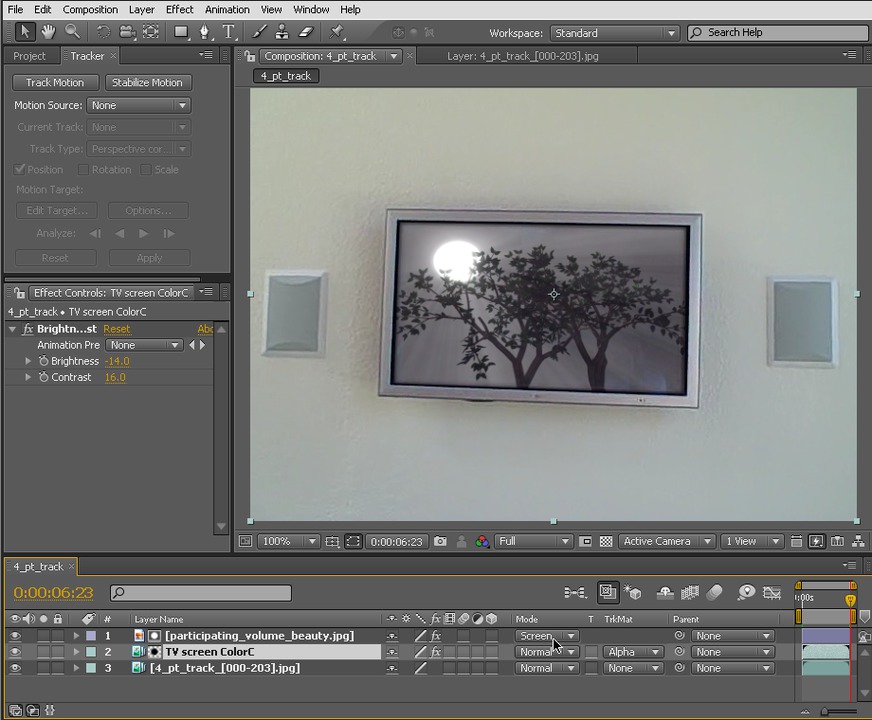
In this After Effects tutorial we'll learn how to use the tracker built in to After Effects to analyze real life footage and find the movement of objects. This is an important technique for matching an image or animation's position, rotation, scale and perspective skewing to footage. We'll begin the tutorial by doing a simple one point track using some easy footage and how to apply that movement information to other layers. We'll then learn how to do a two point track on real footage and create a black-bar effect over someone's eyes. Lastly, we'll track the four corners of a television screen to replace the image on the screen. We'll then learn some tips for getting a track from difficult footage using color correct techniques. Software required: After Effects CS4 for project files.
Introduction to Tracking in After Effects
Beginner
Table of contents
