
- Course
Creating a Sea Creature in Maya and ZBrush
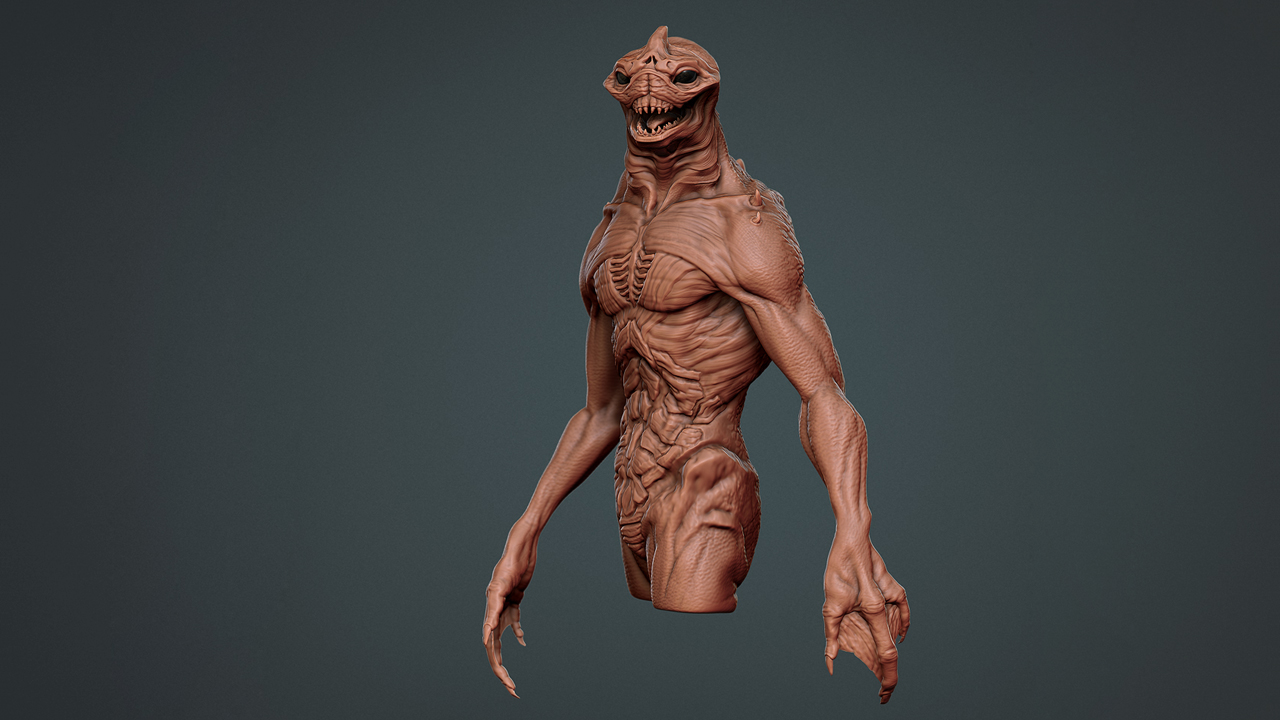
In this Maya tutorial, we will learn time-saving techniques and workflows for creating a digital creature maquette in Maya, ZBrush, and TopoGun. Software required: Maya 2011, TopoGun 1.06, ZBrush 4R2.
Advanced
- Course
Creating a Sea Creature in Maya and ZBrush
In this Maya tutorial, we will learn time-saving techniques and workflows for creating a digital creature maquette in Maya, ZBrush, and TopoGun. Software required: Maya 2011, TopoGun 1.06, ZBrush 4R2.
Advanced
Get started today
Access this course and other top-rated tech content with one of our business plans.
Try this course for free
Access this course and other top-rated tech content with one of our individual plans.
This course is included in the libraries shown below:
- Core Tech
What you'll learn
In this Maya tutorial, we will learn time-saving techniques and workflows for creating a digital creature maquette in Maya, ZBrush, and TopoGun. When creating a creature concept for the film industry, it is common for a director to ask for a detailed character rendering or even a 3D print of the creature before approving a character concept. Throughout these lessons we will look at the creative process of taking a 2D concept and turning it into a 3D digital maquette that is detailed enough to show a film director for approval. Once approved, before the VFX studio can integrate the character concept into its pipeline, it must first be fully retopologized into a clean mesh that is ready for rigging and animation. By the end of this tutorial, we will have gone through the entire conceptual process of creating a film-ready character concept that is posed, prepared in accordance with 3D printing standards, and rendered for a dramatic presentation. Software required: Maya 2011, TopoGun 1.06, ZBrush 4R2.
Creating a Sea Creature in Maya and ZBrush
Advanced
Table of contents
