
- Course
Creating a Game-ready Tommy Gun in 3ds Max
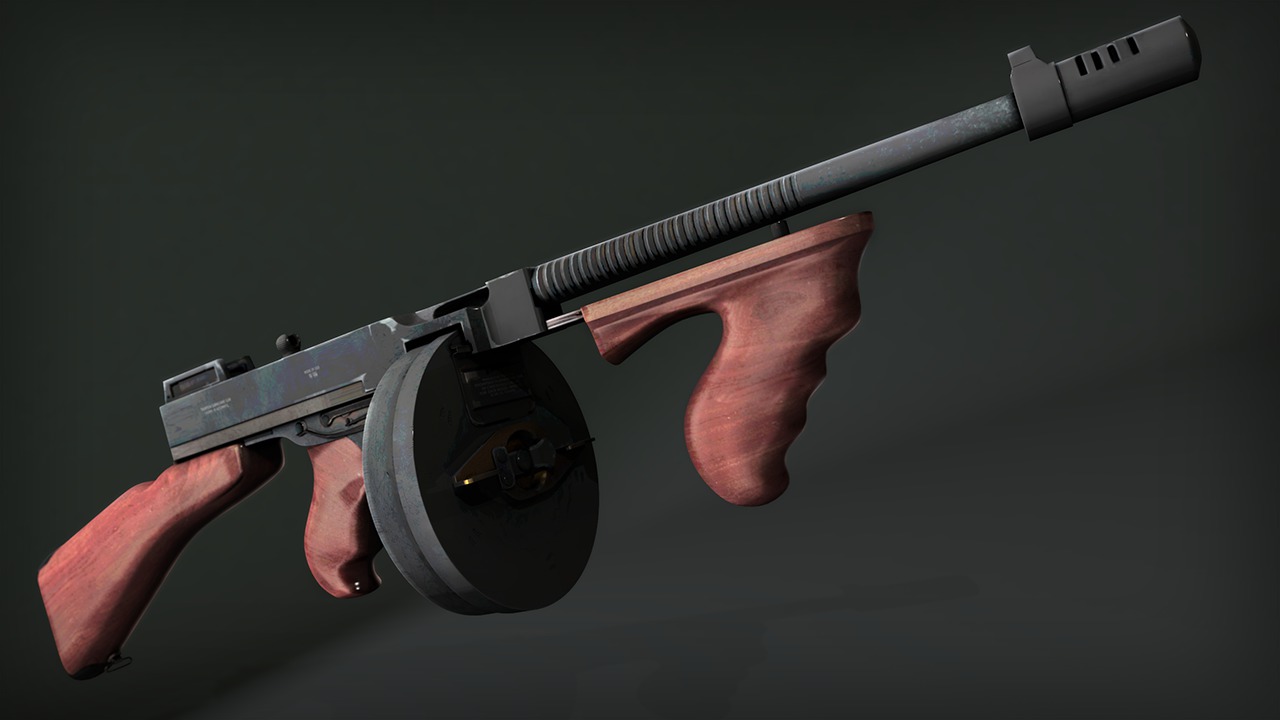
In this series of tutorials, we take a look at the process of creating a gun for use in a game engine like UDK, Unity, or CryEngine. Software required: 3ds Max 2013, Photoshop CS6, Marmoset Toolbag 1.08.
Advanced
- Course
Creating a Game-ready Tommy Gun in 3ds Max
In this series of tutorials, we take a look at the process of creating a gun for use in a game engine like UDK, Unity, or CryEngine. Software required: 3ds Max 2013, Photoshop CS6, Marmoset Toolbag 1.08.
Advanced
Get started today
Access this course and other top-rated tech content with one of our business plans.
Try this course for free
Access this course and other top-rated tech content with one of our individual plans.
This course is included in the libraries shown below:
- Core Tech
What you'll learn
In this series of tutorials, we take a look at the process of creating a gun for use in a game engine like UDK, Unity, or CryEngine. We go through this process bit by bit starting off by creating a high poly version of the gun using subdivision techniques. The next step will be creating a low-poly version. When this is finished we will take a look how to unwrap elements in order to create the UV Layout. Then we move on to baking ambient occlusion and normal maps. We use Render To Texture dialog in 3ds Max to accomplish this. After we finish it we'll move over to Photoshop and start to create a diffuse map as well as a specular map. Lastly we'll check our results in Marmoset Toolbag. Software required: 3ds Max 2013, Photoshop CS6, Marmoset Toolbag 1.08.
Creating a Game-ready Tommy Gun in 3ds Max
Advanced
Table of contents
