
- Course
Azure Developer Associate (AZ-204): Monitoring and Troubleshooting Applications
Your work doesn't stop once your application is deployed. This course will teach you how to instrument your applications using Application Insights to understand whether and how they are used, and whether their performance meets standards.
Intermediate
- Course
Azure Developer Associate (AZ-204): Monitoring and Troubleshooting Applications
Your work doesn't stop once your application is deployed. This course will teach you how to instrument your applications using Application Insights to understand whether and how they are used, and whether their performance meets standards.
Intermediate
Get started today
Access this course and other top-rated tech content with one of our business plans.
Try this course for free
Access this course and other top-rated tech content with one of our individual plans.
This course is included in the libraries shown below:
- Cloud
What you'll learn
As an engineer, your responsibilities don’t end once your code is deployed to production. After deployment, you must also monitor your applications to ensure they’re working as intended—and troubleshoot them when they’re not. In this course, Azure Developer Associate (AZ-204): Monitoring and Troubleshooting Applications, you’ll learn how to instrument and monitor your applications. First, you’ll explore Azure Monitor, Log Analytics and Application Insights: what they are and how they relate. Next, you’ll discover how to instrument your applications using Application Insights. Finally, you’ll learn how to use Application Insights features such as the Application Map, Live Metrics, and Availability Tests. When you’re finished with this course, you’ll have the skills and knowledge required to instrument, monitor, and troubleshoot your applications using Application Insights.
Azure Developer Associate (AZ-204): Monitoring and Troubleshooting Applications
Intermediate
Table of contents
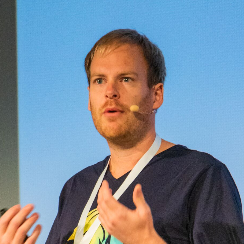


Henry Been is a DevOps & Azure architect from Texel, the Netherlands. He works with teams to write and deliver software to their customers. His interests are architecture, Azure, and DevOps.
