
- Course
Designing a Proper Invitation in Illustrator
In this course, we'll tackle designing a print-ready invitation in Illustrator. Software required: Illustrator CC 2015.
Intermediate
- Course
Designing a Proper Invitation in Illustrator
In this course, we'll tackle designing a print-ready invitation in Illustrator. Software required: Illustrator CC 2015.
Intermediate
Get started today
Access this course and other top-rated tech content with one of our business plans.
Try this course for free
Access this course and other top-rated tech content with one of our individual plans.
This course is included in the libraries shown below:
- Core Tech
What you'll learn
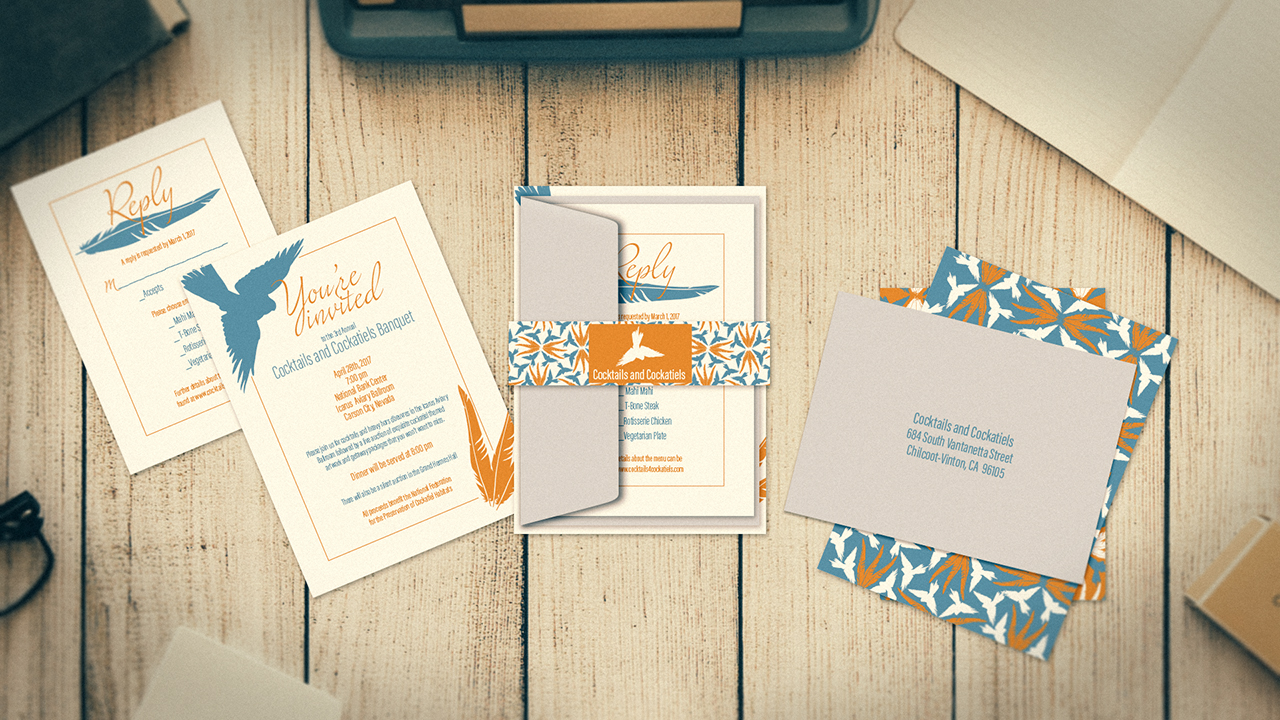
In this course, we'll tackle designing a print-ready invitation in Illustrator. We'll start by setting up our artboards. We'll figure out what size our invitation and enclosure card needs to be and the accompanying envelopes. Then we'll pull in our information and begin the layout process. We'll choose a typeface that fits our theme and place artwork. Next we will take a look at how we can create our own envelopes or print on ready-made envelopes. We'll also learn how to create a pattern and a belly band to hold all our items securely. By the end of this Illustrator tutorial, you'll be ready to start creating your own wedding or party invitations. Software required: Illustrator CC 2015.
Designing a Proper Invitation in Illustrator
Intermediate
Table of contents
