
- Course
Overcoming Tracking and Graphics Integration Issues in After Effects
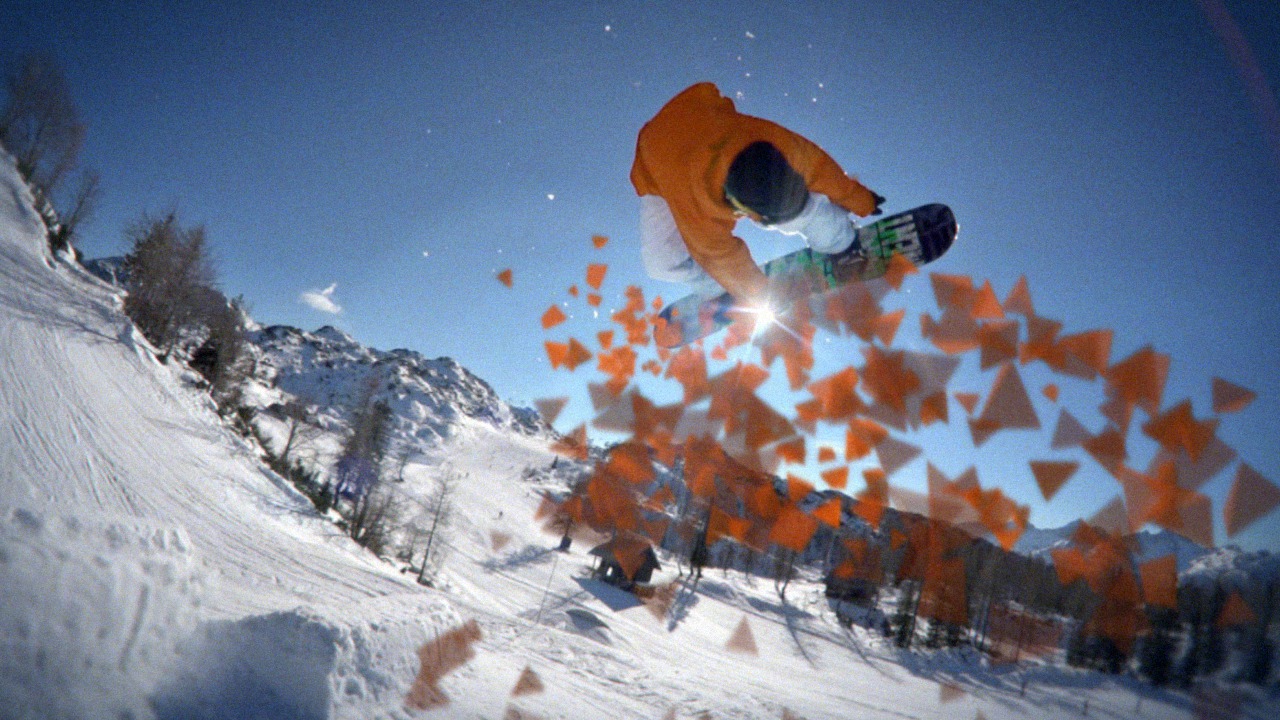
In this series of After Effects tutorials, we are going to learn all of the steps you need to integrate graphic particles into our snowboarding shot. Software required: After Effects CS6, Photoshop CS6, Knoll Light Factory.
Intermediate
- Course
Overcoming Tracking and Graphics Integration Issues in After Effects
In this series of After Effects tutorials, we are going to learn all of the steps you need to integrate graphic particles into our snowboarding shot. Software required: After Effects CS6, Photoshop CS6, Knoll Light Factory.
Intermediate
Get started today
Access this course and other top-rated tech content with one of our business plans.
Try this course for free
Access this course and other top-rated tech content with one of our individual plans.
This course is included in the libraries shown below:
- Core Tech
What you'll learn
In this series of After Effects tutorials, we are going to learn all of the steps you need to integrate graphic particles into our snowboarding shot. When you are doing a project like this, there are a couple of different workflows that are possible. If you shoot the footage yourself, then you have a lot more control over mapping what you want the particles to do. The shot that we begin with however, is not something that we shot ourselves, and so we have to overcome many difficulties to make our particles feel integrated in this scene. We'll learn a few different ways to track using the Mocha tracker which is bundled with After Effects CS6. We also use the tracker inside of After Effects to take care of some of the easier tracks. We use a particle system that comes standard with After Effects to generate some particles, and we learn how to tweak those particles to look like they have the depth of our scene. This After Effects tutorial is perfect for you if you want to know how to solve some of the real problems that you run into with a difficult track, and, also, how to use some other tricks to further the integration of graphics into a shot. By the end of this tutorial, you'll be able to apply the knowledge you learn, and have a lot more success in your own projects that require a little more hard work to make them shine. Software required: After Effects CS6, Photoshop CS6, Knoll Light Factory.
Overcoming Tracking and Graphics Integration Issues in After Effects
Intermediate
Table of contents
