
- Course
3D Assisted Facial Morphing in CINEMA 4D and NUKE
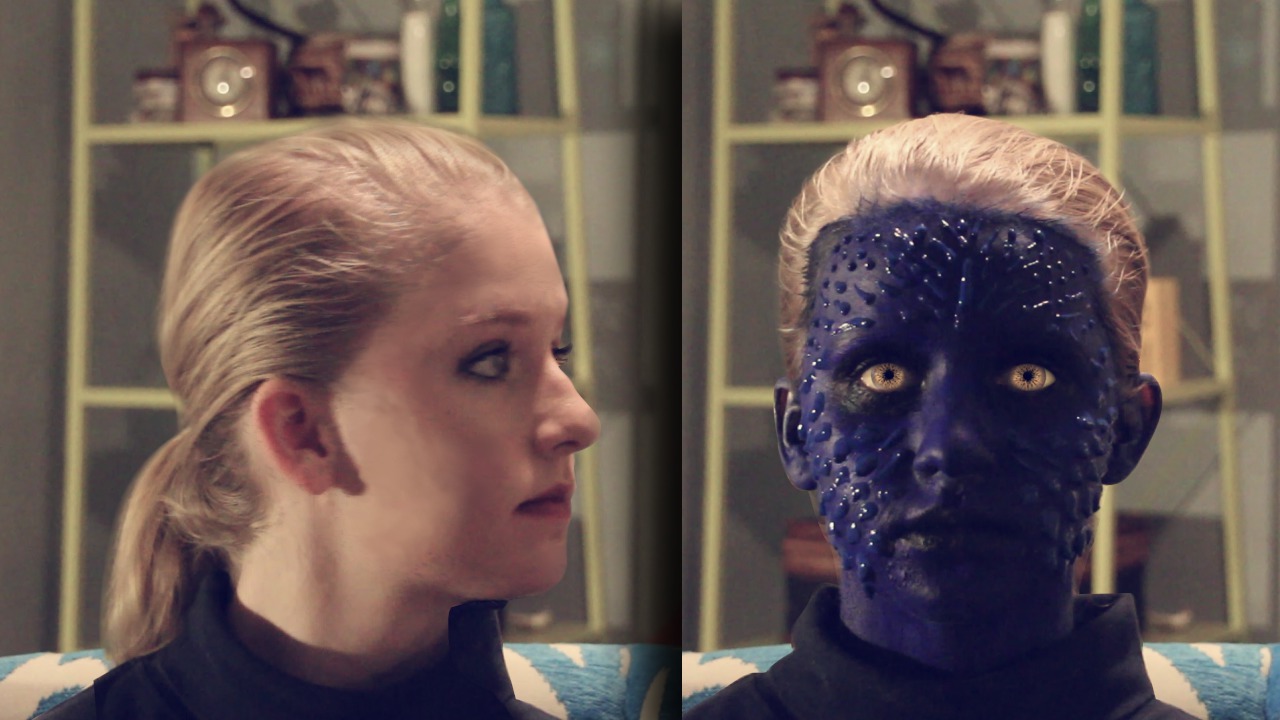
In this series of tutorials, we will go through the process of creating a human to mutant transformation using the MoGraph toolset in CINEMA 4D and then compositing the render in NUKE. Software required: CINEMA 4D R15, NUKE 7.0V6, After Effects CC 12.0.0.404.
Advanced
- Course
3D Assisted Facial Morphing in CINEMA 4D and NUKE
In this series of tutorials, we will go through the process of creating a human to mutant transformation using the MoGraph toolset in CINEMA 4D and then compositing the render in NUKE. Software required: CINEMA 4D R15, NUKE 7.0V6, After Effects CC 12.0.0.404.
Advanced
Get started today
Access this course and other top-rated tech content with one of our business plans.
Try this course for free
Access this course and other top-rated tech content with one of our individual plans.
This course is included in the libraries shown below:
- Core Tech
What you'll learn
In this series of tutorials, we will go through the process of creating a human to mutant transformation using the MoGraph toolset in CINEMA 4D and then compositing the render in NUKE. We start with a very basic head mesh that we alter to match the features of our actress. We then use this mesh to create a spiky, scale ripple effect that will enhance the look of the change from human to mutant. We will learn some of the powerful Effectors that CINEMA 4D's MoGraph toolset has to offer and before you know it we are ready to render and move into NUKE. Once in NUKE, we begin merging our passes, shuffling alphas, and creating rotoscopes for the greatest control of our render. By the end of this tutorial, you will have a powerful technique for creating a shot that moves from two drastically different looking people and creating a transition that feels life-like and believable. Software required: CINEMA 4D R15, NUKE 7.0V6, After Effects CC 12.0.0.404.
3D Assisted Facial Morphing in CINEMA 4D and NUKE
Advanced
Table of contents
